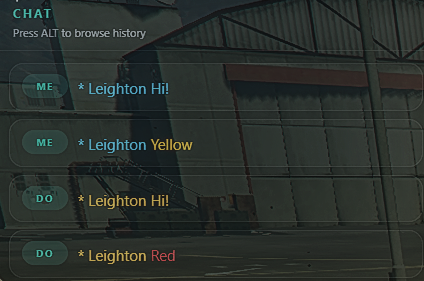
Novyx Chat
Novyx Chat is an advanced & highly optimised chat system for FiveM servers. It is designed to enhance gameplay with a clean, modern and fully customisable experience. Novyx Chat is built with performance and user experience in mind, delivering a smooth functionality whilst keeping server resource usage to a minimal. It has a responsive UI that can be tailored to fit any server style, along with the function to allow players to customise their own chat settings locally for added flexibility and freedom. Novyx Chat also includes built in Discord Webhook logging, allowing server owners & staff to track commands, player messages, and other activity within the chat with ease. With a simple installation process, setting up Novyx Chat is quick and hassle free for anyone!
FEATURES
- ✓ Advanced
- ✓ Clean
- ✓ Configurable
- ✓ Easy to use
- ✓ QB-Core
- ✓ QBX
- ✓ Standalone
- ✓ All Frameworks
- ✓ Server-Sided HUD Config
- ✓ Client-Sided HUD Config
FULL DETAILS
Chat Resource Features FiveM
This Asset Comes With
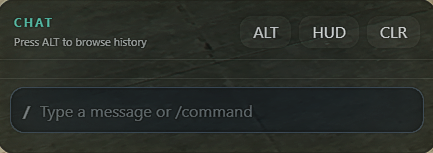
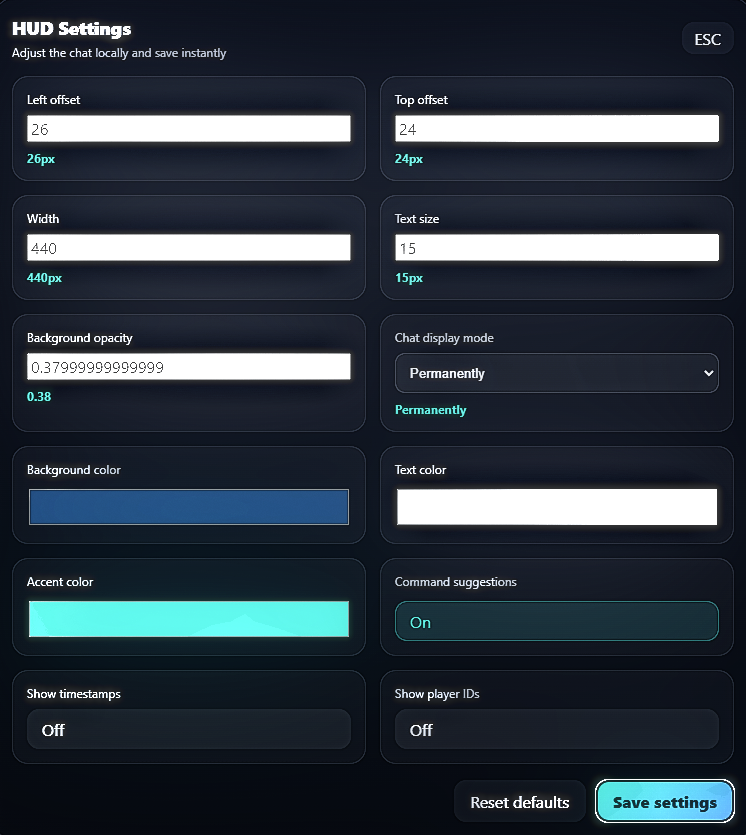
- NUI chat box and HUD customization
- Configurable, built-in RP commands (
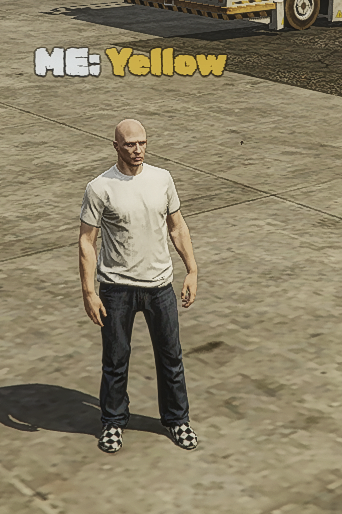
/me,/do,/ad, optional/ooc) - Overhead labels with NUI or native rendering modes
- Custom added fonts or FiveM built-in fonts
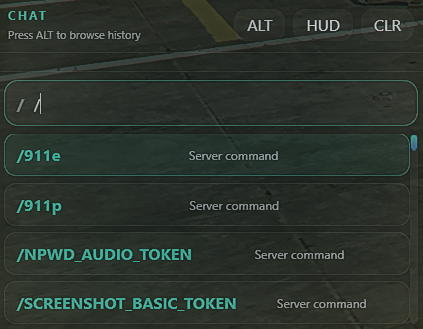
- Command suggestion list & external resource passthrough capabilities
- Local per-player UI settings & config saved with KVP
- Full logging capabilities via Discord
- FiveM Colour Coding compatibility
In-Game Controls / Keybinds
T
Opens chat input and focuses the text box.
Enter
Sends message if there is text, then closes chat.
Enter (Empty Input)
Closes the chat window.
Esc
Closes chat instantly.
Alt
Toggles mouse and scrollable history mode while chat is open.
ALT UI Button
Same functionality as the keyboard Alt key.
CLR UI Button
Clears local chat history.
Full Customisability
This resource gives you complete control through the
config.lua configuration system.
Chat Features
- Enable/Disable OOC chat
- Add custom overhead fonts
- NUI or native overhead rendering
Discord Logging
- Commands logging
- Chat message logging
- Blocked action logging
- Unknown command logging
- Fully configurable enable/disable options
HUD Defaults
- Positioning & sizing
- Opacity & colors
- Accent styling
- Display modes
- Timestamps & player IDs
- History & fade settings
Global Overhead Displays
- Render mode: NUI or native
- Read distance
- Fonts & scaling
- Offset & spacing
- Background & text colors
- Outline & shadow support
Command Creation
- Custom command names & descriptions
- Usage & suggestions
- Enable/Disable per command
- Chat & overhead display options
- Custom colors & templates
- Custom overhead labels & fonts